
How to Reduce WebRTC Latency: A Production Engineering Guide | Betadrix
 35 min read
An end-to-end engineering guide on optimizing WebRTC latency to sub-200ms: codec tuning (H.264/VP9/AV1/Opus), edge SFU topology, jitter buffers, GCC, and chrome://webrtc-internals metrics.
What this guide covers: An in-depth production engineering breakdown of WebRTC glass-to-glass latency. We dissect the exact bottlenecks in media pipelines—from hardware sensor capture and SDP codec negotiation to kernel UDP socket buffers, edge SFU routing, and jitter buffer analytics via chrome://webrtc-internals. If you are building scalable real-time architectures, this guide provides the exact configurations needed to achieve sub-200ms latency globally.
Deconstructing Cumulative Glass-to-Glass Latency in WebRTC
When engineering real-time communication systems, latency is never localized to a single network bottleneck. It is a cumulative penalty extracted across six distinct pipeline phases. If you map the journey of a frame from a local camera sensor to a remote display, un-optimized WebRTC implementations typically yield 400ms to 800ms of total glass-to-glass latency.
To break past the 200ms barrier—critical for interactive sportsbook and iGaming streams, real-time financial trading overlays, and remote surgical robotics—you must aggressively engineer each phase:
- Capture & Pre-Processing (10–30ms): Hardware sensor acquisition, frame buffering, color space conversion (e.g., NV12 to I420), noise suppression, and Acoustic Echo Cancellation (AEC).
- Encoder Queue & Compression (15–45ms): Video frame quantization, keyframe insertion, GOP processing, and audio packetization. The choice between H.264, VP8, VP9, AV1, or Opus dictates this delay.
- Packetization & Network Transit (20–120ms): RTP encapsulation, SRTP encryption, UDP socket traversal, NAT relay via TURN, and routing across public or private IP backbones.
- Media Server Routing (5–15ms): Ingestion, packet parsing, spatial/temporal layer selection (Simulcast/SVC), and packet fan-out in Selective Forwarding Units (SFUs).
- Jitter Buffer & Depacketization (10–80ms): Reordering out-of-order packets, handling packet loss via NACK/FEC, and dynamically adjusting delay targets based on network variance.
- Decoder Queue & Hardware Render (10–25ms): SRTP decryption, video frame decoding (GPU hardware vs. software), vsync synchronization, and audio DAC/speaker buffer playback.
In un-optimized WebRTC configurations, total glass-to-glass latency often ranges between 400ms and 800ms. By systematically engineering each stage—and leveraging the right WebRTC development stack—production teams can achieve consistent sub-150ms to 200ms glass-to-glass latency globally.
1. Media Capture & Hardware Acceleration Pipelines
Latency mitigation starts before a single packet hits the wire. Operating system capture pipelines and browser constraints can introduce up to 50ms of unneeded delay if defaults are left unchanged. High frame rates drastically reduce sensor capture latency: capturing video at 60 FPS reduces the frame interval from 33.3ms (at 30 FPS) to 16.6ms per frame.
const constraints = {
  audio: {
    echoCancellation: true,
    noiseSuppression: true,
    autoGainControl: true,
    channelCount: 1, // Mono audio reduces packet size and processing overhead
    sampleRate: 48000
  },
  video: {
    width: { ideal: 1280, max: 1920 },
    height: { ideal: 720, max: 1080 },
    frameRate: { ideal: 60, min: 30 },
    latency: { ideal: 0 } // Request low-latency mode where supported
  }
};
const stream = await navigator.mediaDevices.getUserMedia(constraints);
Zero-Copy GPU Capture Textures
Never route raw camera frames through CPU memory. Ensure that capture surfaces utilize zero-copy GPU textures (such as Direct3D11 on Windows, VAAPI/NVMM on Linux, or Metal/VideoToolbox on macOS/iOS). Avoiding CPU memory copies between the camera driver and the encoder pipeline saves 5–12ms per frame—crucial for scaling high-density video endpoints.
If you are building cross-platform custom mobile applications, managing these native capture pipelines requires deep platform expertise. For instance, React Native bridges can introduce asynchronous frame drops if not properly threaded. If your team lacks low-level media experience, it is highly recommended to hire dedicated developers who specialize in C++ and native WebRTC implementations.
2. Codec Selection & SDP Parameter Tuning
The choice of media codecs directly dictates both compute delay and bandwidth efficiency. As a standard practice for any WebRTC development company, the engineering decision between H.264, VP8, VP9, and AV1 is governed by the target hardware and use case:
| Codec | Encode Latency | Decode Latency | Hardware Support | Best Production Use Case |
|---|---|---|---|---|
| H.264 (Constrained Baseline) | 5–10ms | 2–5ms | Universal (Mobile & Web) | Ultra-low latency sub-100ms, mobile devices, hardware constraints |
| VP8 | 10–18ms | 5–10ms | Software (Near-universal) | Legacy browser fallback, predictable CPU software encoding |
| VP9 (with SVC) | 15–30ms | 8–15ms | Partial Hardware | Scalable multi-party video conferencing with flexible spatial layers |
| AV1 | 25–50ms (CPU) / 8ms (GPU) | 10–20ms | Modern GPUs (NVENC AV1, Apple M3) | Bandwidth-constrained networks with high-density GPU nodes |
| Opus Audio | 2.5–10ms | 1–3ms | Universal Software | All WebRTC audio streams (configured for 10ms frame size) |
Tuning Opus Audio for Ultra-Low Latency
By default, WebRTC negotiates Opus audio with 20ms ptime (packet duration). Modifying the SDP format parameters to enforce ptime=10 or ptime=5 cuts audio packetization latency in half. This is non-negotiable for real-time voice overlays in mobile banking software development services where immediate voice authentication is required without packet bloat.
function setOpusLowLatency(sdp) {
  return sdp.replace(
    /a=fmtp:111 (.*)/,
    'a=fmtp:111 $1;ptime=10;minptime=10;maxptime=10;sprop-maxcapturerate=48000;stereo=0;useinbandfec=1'
  );
}
Furthermore, enabling useinbandfec=1 allows Opus to include Forward Error Correction data directly inside the audio payload, which drastically reduces the need for round-trip NACK retransmissions on highly lossy mobile networks.
3. Edge SFU Topology & Geo-Distributed Routing
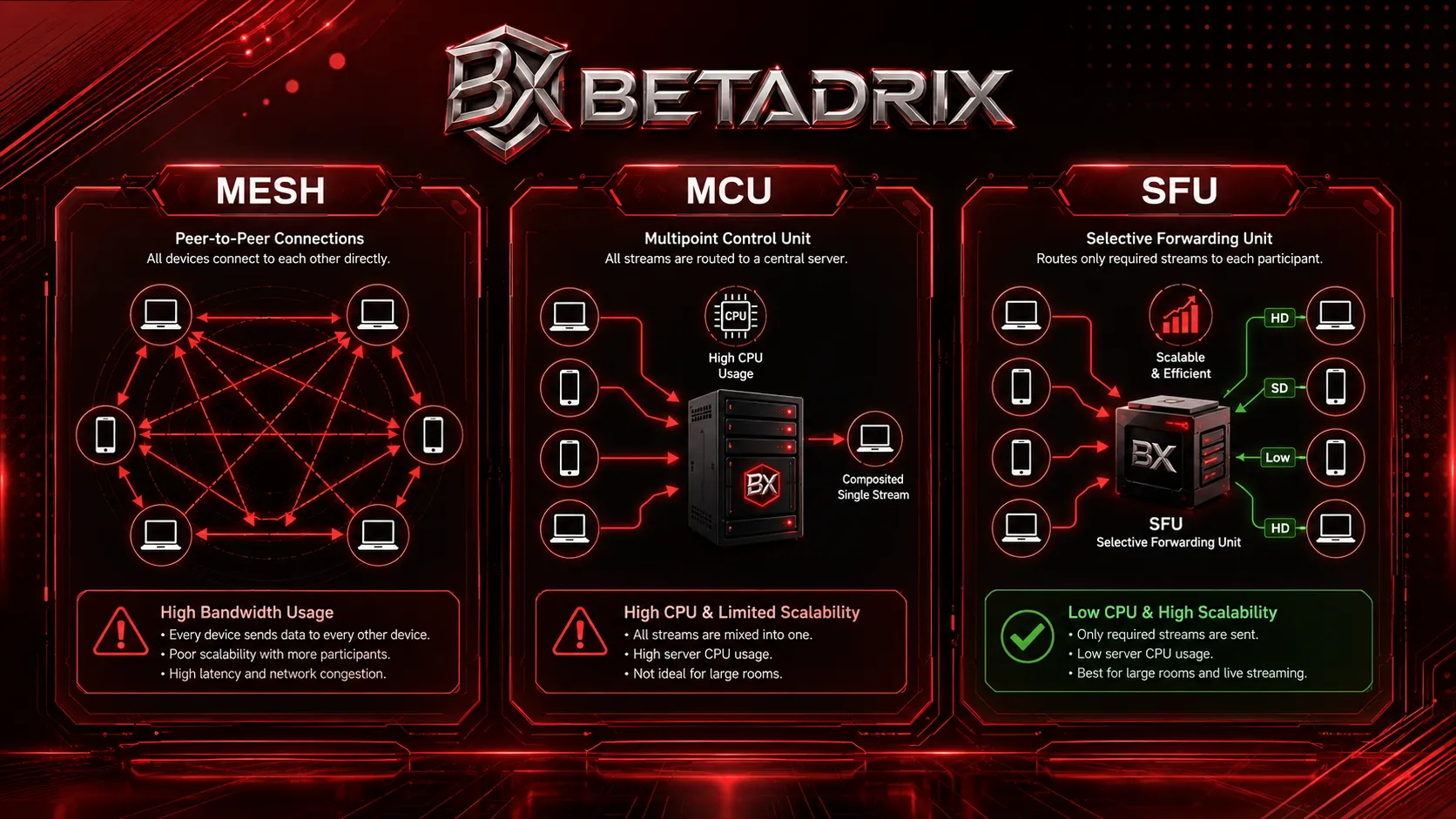
In multi-party or broadcast WebRTC streaming, peer-to-peer (P2P) mesh architectures break down past 4–5 participants due to exponential upstream bandwidth (`N * (N - 1)`). Selective Forwarding Units (SFUs) scale video distribution while preserving sub-200ms latency when correctly deployed. If you are evaluating the full architectural trade-offs, our companion piece on building scalable SFU architectures for WebRTC provides an in-depth topology comparison.
Deploying SFUs at Edge Points of Presence (PoPs)
Centralized cloud deployments force cross-continental packet round-trips. Implementing a distributed edge SFU network ensures users connect to an ingress node within 15–30ms RTT. However, managing these globally distributed media nodes requires robust infrastructure orchestration. Using multi-cluster Kubernetes management tools allows you to dynamically scale SFU pods across AWS, GCP, and bare-metal PoPs simultaneously.
- Geo-DNS & Anycast Routing: Direct clients to the geographically closest SFU ingress node via Anycast IP or low-TTL DNS routing.
- Cascaded SFU Architecture: Connect Regional Ingress SFUs to Core Backbone SFUs over dedicated private fibers (AWS Direct Connect, Google Cloud Interconnect) rather than public Internet routes.
- Simulcast / SVC Layer Switching: Instead of re-encoding streams, the SFU selectively routes lower resolution/bitrate layers to bandwidth-constrained clients, preventing receiver buffer bloat.
State Synchronization Across SFU Clusters
Handling real-time signaling and state synchronization across these cascaded SFU nodes requires a high-throughput event broker. Integrating Apache Kafka development services into your WebRTC backend allows for fault-tolerant, distributed state management of participant sessions, room topologies, and routing tables across your global PoPs. For teams building the signaling layer itself, Node.js development is often the preferred runtime for handling high-concurrency WebSocket signaling servers that pair with these SFU clusters.
4. Kernel Networking & UDP Socket Tuning
Linux kernel defaults for UDP socket buffers are engineered for standard web traffic, not high-throughput media servers. RTP packets will silently drop at the kernel socket layer, triggering unnecessary NACK retransmissions and latency spikes that ruin the real-time user experience.
Optimizing Sysctl Settings for WebRTC SFU Servers
# Increase Linux socket buffer limits for high-bitrate RTP streams
sysctl -w net.core.rmem_max=67108864
sysctl -w net.core.wmem_max=67108864
sysctl -w net.core.rmem_default=33554432
sysctl -w net.core.wmem_default=33554432

# Enable BBR Congestion Control for TCP fallback / TURN control
sysctl -w net.core.default_qdisc=fq
sysctl -w net.ipv4.tcp_congestion_control=bbr

# Increase max socket backlog to absorb traffic bursts
sysctl -w net.core.netdev_max_backlog=100000
Without tuning netdev_max_backlog, bursts of UDP RTP packets during keyframe generation (I-frames) will overflow the kernel's ingress queue before they even reach your custom WebRTC application's SFU layer. This manifests as phantom packet loss that only appears under load. Proper DevOps and infrastructure engineering practices—including automated sysctl configuration via Docker and Kubernetes security contexts—ensure these tunings persist across deployments.
5. Jitter Buffer & Google Congestion Control (GCC) Optimization
The receiver jitter buffer adds intentional delay to reorder UDP packets and absorb network delay variation (jitter). However, over-conservative jitter buffer sizing is one of the leading causes of high glass-to-glass latency.
Zero-Jitter Mode for Real-Time Control & iGaming
For applications where real-time interactive latency is critical (e.g., remote desktop, cloud gaming, surgical robotics), you can configure receiver delay limits via Chrome's experimental APIs or RTP header extensions:
// Accessing Chrome's RTCRtpReceiver playoutDelayHint API
const receivers = peerConnection.getReceivers();
receivers.forEach(receiver => {
  if (receiver.track.kind === 'video' || receiver.track.kind === 'audio') {
    if ('playoutDelayHint' in receiver) {
      // Enforce 0 to 50ms maximum playout delay (default is dynamic, up to 500ms)
      receiver.playoutDelayHint = 0.02; // 20 milliseconds
    }
  }
});
Packet Loss Recovery: NACK vs. FEC
Relying on NACK (Negative Acknowledgment) retransmission adds 1 full RTT to lost packets. On high-latency networks (>50ms RTT), NACK retransmission causes visible frame freezes or jitter buffer spikes.
- Forward Error Correction (FlexFEC / RED): Transmits redundant parity packets alongside media streams. It resolves 5–10% packet loss with zero added RTT delay, trading slightly higher bitrate for minimal latency.
- Hybrid NACK/FEC Thresholds: Configure SFUs to utilize FEC for low RTT connections or small packet losses, switching to NACK only when packet loss exceeds FEC recovery capacity.
Configuring these loss recovery strategies correctly often requires custom TURN server deployments and SFU plugin modifications—off-the-shelf media servers may not expose granular enough FEC/NACK threshold controls for sub-100ms targets.
6. Diagnostic Telemetry & chrome://webrtc-internals Analysis
Production engineering requires continuous metrics collection. Chrome's built-in diagnostic tool chrome://webrtc-internals and standardized `getStats()` API provide granular visibility into latency bottlenecks.
If you are building a custom dashboard to visualize these metrics for your operations team, utilizing a modern framework is essential. As a recognized Next.js development company, we recommend leveraging Next.js App Router streaming to render these real-time telemetry charts without blocking the main UI thread. For AI-driven anomaly detection on these network streams, you can explore architectures using fine-tuning vs RAG LLMs to predict network degradation before users notice it.
Key Metrics to Monitor via standard `RTCPeerConnection.getStats()`
| Stat Metric Name | Target Value | Diagnosis if High |
|---|---|---|
inbound-rtp.jitterBufferDelay / jitterBufferTargetDelay |
< 30ms | Network jitter spike, packet loss causing NACK delay, or unoptimized audio NetEQ buffer. |
candidate-pair.currentRoundTripTime |
< 50ms | Sub-optimal TURN relay server placement or poor BGP internet routing. |
outbound-rtp.qualityLimitationReason |
"none" or "bandwidth" | If "cpu", local device hardware encoder is bottlenecked; decrease resolution or frame rate. |
inbound-rtp.framesDropped |
0 per second | Decoder queue overflow or render pipeline thread starvation. |
// Automated WebRTC Latency Monitor snippet
setInterval(async () => {
  const stats = await peerConnection.getStats();
  stats.forEach(report => {
    if (report.type === 'inbound-rtp' && report.kind === 'video') {
      const jitterDelay = report.jitterBufferDelay / report.jitterBufferEmittedCount;
      console.log(`Current Video Jitter Buffer Delay: ${(jitterDelay * 1000).toFixed(2)} ms`);
    }
    if (report.type === 'candidate-pair' && report.state === 'succeeded') {
      console.log(`Current Connection RTT: ${report.currentRoundTripTime * 1000} ms`);
    }
  });
}, 2000);
Piping these metrics into a Grafana and Prometheus monitoring stack gives your SRE team real-time alerting on latency SLA violations—essential for enterprise video conferencing platforms serving thousands of concurrent rooms.
Need Help Scaling Low-Latency WebRTC Systems?
Betadrix engineers custom WebRTC media server architectures, custom SFU plugins (Mediasoup, Janus, LiveKit), and edge streaming infrastructure capable of sub-150ms global latency for live video, iGaming, and telehealth platforms.
Explore our WebRTC Development Services → or Hire WebRTC Developers → or Book a Technical Discovery Session.
Production WebRTC Latency SLA Checklist
To guarantee consistent sub-200ms latency in production, systematically audit your implementation against this checklist. For a downloadable version, grab our WebRTC Production Engineering Checklist.
- [x] Capture: 60 FPS video capture with hardware-accelerated zero-copy surfaces.
- [x] Audio Codec: Opus configured with 10ms frame size (`ptime=10`) and mono channel count.
- [x] Video Codec: H.264 Baseline for low-power mobile hardware or VP9 SVC for multi-party calls.
- [x] ICE Transport: Direct host candidate connections or co-located edge TURN relay servers with UDP enabled.
- [x] SFU Topology: Multi-region SFU edge nodes with Anycast ingress and private backbone routing.
- [x] Jitter Buffer: Receiver `playoutDelayHint` configured to 20–30ms target threshold.
- [x] Packet Loss: FlexFEC / RED enabled for loss recovery under 10% loss without NACK round-trips.
- [x] Telemetry: Real-time `getStats()` telemetry pushing `jitterBufferDelay` and `currentRoundTripTime` to monitoring dashboards (Grafana / Prometheus).
Conclusion
Achieving reliable ultra-low WebRTC latency is a holistic engineering challenge. By optimizing every phase of the pipeline—from hardware capture and H.264/Opus SDP tuning to edge SFU placement, kernel UDP socket buffers, and zero-jitter playout hints—production teams can consistently deliver sub-200ms real-time experiences worldwide.
If you are building or scaling interactive WebRTC applications and require custom media server architecture or latency auditing, contact our WebRTC engineering team today. You can also explore our broader real-time communication solutions or review our portfolio of WebRTC deployments for reference architectures.
Related Services from Betadrix
At Betadrix, we specialize in delivering enterprise-grade solutions. Explore our related services to see how we can assist with your technology goals: Scalable Platform Engineering & High-Availability Cloud Infrastructure | Betadrix, Casino & Sportsbook Software Development Company in Germany, Casino Game Development Services | Betadrix, Casino, Sportsbook & Gaming Software Development Company in Spain, WebRTC Consulting & Architecture Review, SFU & Media Server Deployment, WebRTC Security & Compliance Hardening, Custom WebRTC Application Development, Banking Software Development, Hire Dedicated WebRTC Developers, WebRTC Mobile App Development, Casino & Sportsbook Development Services in Finland.
Need Help Scaling Low-Latency WebRTC Systems?
Betadrix engineers custom WebRTC media server architectures, custom SFU plugins (Mediasoup, Janus, LiveKit), and edge streaming infrastructure capable of sub-150ms global latency.
Free Resource: WebRTC Production Engineering Checklist
Download our comprehensive engineering checklist covering SDP negotiation, kernel socket tuning, SFU scaling, and chrome://webrtc-internals diagnostic parameters.
Related Services
?Frequently Asked Questions
What is considered good glass-to-glass latency for WebRTC?
Which video codec provides the lowest latency in WebRTC?
How does an SFU impact WebRTC latency compared to P2P mesh?
How do you reduce Opus audio latency in WebRTC?
How do you measure WebRTC latency in real time?

Shivam Swami
Founder & CEOShivam Swami is the Founder & CEO of Betadrix, driving technical vision and WebRTC engineering. He specializes in real-time media streaming, SFU topology design, and sub-200ms ultra-low latency interactive applications.
Recognized & Verified Excellence
Trusted by Technical Leaders Worldwide
Verified ratings across global enterprise review platforms for custom software, AI development, and cloud engineering.
More Articles in Engineering
Related services built to solve your specific challenges




Watch.
Learn.
Grow.
Discover how our engineered solutions transform industries and propel client operations forward.


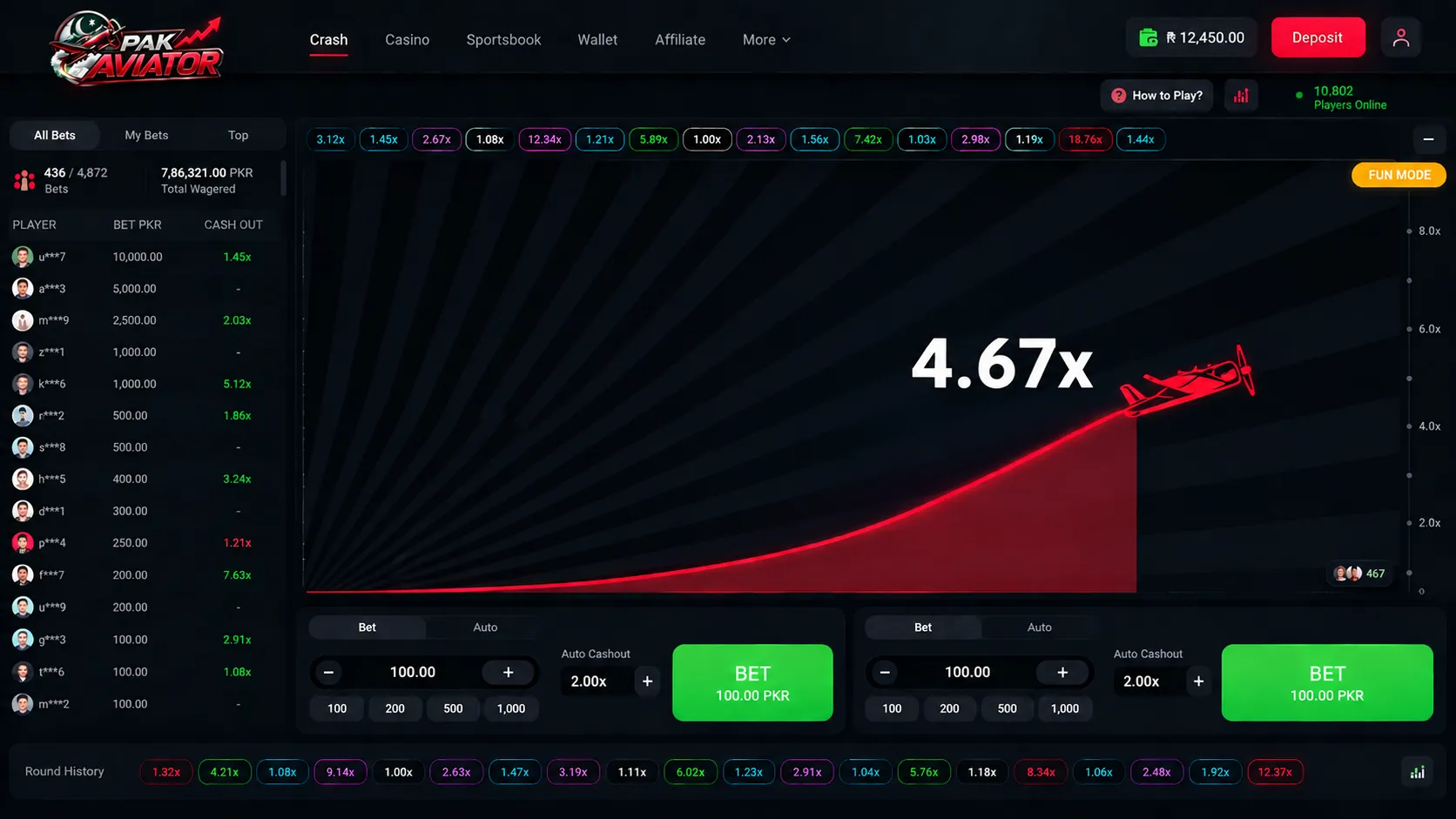
Owning the Game, Not Renting It: Custom Crash Game Development for a Lahore-Based iGaming Operator
READ CASE STUDYTechnologies & Frameworks Powering This Service

WebRTC Development: SFU Architecture, Latency Optimization & Production Engineering Guide
architecture



Hire Specialized Developers For Your Service Project
Flutter Developers
Pre-vetted senior Flutter Developers ready to deploy into your existing architecture in 3-7 days.

Nodejs Developers
Pre-vetted senior Nodejs Developers ready to deploy into your existing architecture in 3-7 days.
React Developers
Pre-vetted senior React Developers ready to deploy into your existing architecture in 3-7 days.

Python Developers
Pre-vetted senior Python Developers ready to deploy into your existing architecture in 3-7 days.
What Our Clients Say
“Mobile app development and cloud migration were handled smoothly. Strong technical skills, clear communication, and dependable post-launch support stood out throughout the engagement.”

Sarah Mitchell
Director of Operations, HealthFirst Clinics
Have a Project in Mind?
Let's Build It Together.
Connect directly with our senior software architects and technical leads. We evaluate your requirements and deliver an actionable technical proposal within 24 hours.
Strict NDA Protection
Your intellectual property and technical specs remain 100% confidential.
24-Hour Response Guarantee
Guaranteed evaluation and scoping reply from an engineering manager.
Zero Obligation Estimate
Get accurate cost breakdowns and tech stack recommendations free of charge.
Request Free Technical Consultation
Let's build something serious.
Diagnose your system architecture, budget ranges, and roadmap parameters with an expert.
Scoping Diagnostic
Analyze your workflows in 60 seconds. A senior AI architect reviews every parameter personally.
 4.9/5.0 Partner
 4.8/5.0 Leader
 4.9/5.0 Rated
 4.8/5.0 Excellent
Not sure where AI actually moves the needle for you?
Answer a few brief questions. We will deliver a highly concrete scoping plan within 24 hours including:
- Recommendations on automation use-cases and MVP components
- Calculations on expected ROI and engineering timelines
- A structural roadmap to make your legacy stack AI-native