
Mobile App Security Best Practices: iOS Keychain, Android Keystore, ProGuard & R8 Obfuscation

Founder & CEO
 12 min read
Production guide to mobile app security for iOS and Android. Master iOS Keychain, Android Keystore, R8/ProGuard obfuscation, and SSL certificate pinning.
The Modern Mobile Threat Surface: Securing the Untrusted Client
Unlike enterprise cloud servers running behind private VPC firewalls, mobile applications execute within an inherently hostile, untrusted client environment. Attackers can decompile APK and IPA application bundles, attach dynamic debuggers (LLDB), inject runtime instrumentation hooks via Frida and Xposed, and inspect unencrypted sandboxed flash memory on rooted or jailbroken hardware.
Adhering to the OWASP Mobile Top 10 requires engineering a multi-layered defense-in-depth posture: hardware-backed cryptographic key storage, aggressive bytecode and string obfuscation, cryptographic SSL certificate pinning, and Runtime Application Self-Protection (RASP). This production guide delivers the architecture and implementation patterns required to harden enterprise iOS and Android applications.
1. Hardware-Backed Secure Storage: iOS Keychain & Android Keystore
Storing authentication tokens, refresh tokens, or user encryption keys in standard storage (UserDefaults on iOS or unencrypted SharedPreferences on Android) is an immediate critical audit failure. Attackers can extract these files via physical USB backup extraction tools or simple local file inspection.
iOS Keychain Architecture (Swift)
The iOS Keychain encrypts data using keys managed by the Secure Enclave processor. The following Swift module stores and retrieves sensitive authentication tokens with strict hardware-binding attributes:
import Foundation
import Security

public enum KeychainSecurityError: Error {
    case duplicateItem
    case itemNotFound
    case unexpectedStatus(OSStatus)
}

public final class SecureTokenVault {
    private let serviceIdentifier = "tech.betadrix.enterprise.auth"

    public init() {}

    public func storeToken(account: String, token: String) throws {
        guard let tokenData = token.data(using: .utf8) else { return }

        // Secure Enclave binding: accessible only when device is unlocked, non-migratable to backups
        let query: [String: Any] = [
            kSecClass as String: kSecClassGenericPassword,
            kSecAttrService as String: serviceIdentifier,
            kSecAttrAccount as String: account,
            kSecValueData as String: tokenData,
            kSecAttrAccessible as String: kSecAttrAccessibleAfterFirstUnlockThisDeviceOnly
        ]

        let status = SecItemAdd(query as CFDictionary, nil)
        if status == errSecDuplicateItem {
            // Update existing entry
            let updateQuery: [String: Any] = [
                kSecClass as String: kSecClassGenericPassword,
                kSecAttrService as String: serviceIdentifier,
                kSecAttrAccount as String: account
            ]
            let updateAttributes: [String: Any] = [kSecValueData as String: tokenData]
            let updateStatus = SecItemUpdate(updateQuery as CFDictionary, updateAttributes as CFDictionary)
            guard updateStatus == errSecSuccess else { throw KeychainSecurityError.unexpectedStatus(updateStatus) }
        } else if status != errSecSuccess {
            throw KeychainSecurityError.unexpectedStatus(status)
        }
    }

    public func retrieveToken(account: String) throws -> String {
        let query: [String: Any] = [
            kSecClass as String: kSecClassGenericPassword,
            kSecAttrService as String: serviceIdentifier,
            kSecAttrAccount as String: account,
            kSecReturnData as String: true,
            kSecMatchLimit as String: kSecMatchLimitOne
        ]

        var dataTypeRef: AnyObject?
        let status = SecItemCopyMatching(query as CFDictionary, &dataTypeRef)

        guard status == errSecSuccess, let data = dataTypeRef as? Data, let token = String(data: data, encoding: .utf8) else {
            if status == errSecItemNotFound { throw KeychainSecurityError.itemNotFound }
            throw KeychainSecurityError.unexpectedStatus(status)
        }

        return token
    }
}
Android Keystore Architecture (Kotlin)
On Android, the Android Keystore system protects cryptographic keys in dedicated secure hardware (such as StrongBox Keymaster). We leverage EncryptedSharedPreferences from AndroidX Security to automatically encrypt keys and values using AES-256-GCM:
import android.content.Context
import androidx.security.crypto.EncryptedSharedPreferences
import androidx.security.crypto.MasterKey

class SecureStorageManager(context: Context) {
    // Generate or retrieve hardware-backed MasterKey in Android Keystore
    private val masterKey = MasterKey.Builder(context)
        .setKeyScheme(MasterKey.KeyScheme.AES256_GCM)
        .setUserAuthenticationRequired(false) // Set to true for biometric challenge binding
        .build()

    private val sharedPreferences = EncryptedSharedPreferences.create(
        context,
        "secure_vault_prefs",
        masterKey,
        EncryptedSharedPreferences.PrefKeyEncryptionScheme.AES256_SIV,
        EncryptedSharedPreferences.PrefValueEncryptionScheme.AES256_GCM
    )

    fun saveAuthToken(key: String, token: String) {
        sharedPreferences.edit().putString(key, token).apply()
    }

    fun getAuthToken(key: String): String? {
        return sharedPreferences.getString(key, null)
    }
}
2. Bytecode Obfuscation & Shrinking with R8 / ProGuard
Without bytecode obfuscation, reverse engineers can decompile an Android APK within seconds using tools like jadx-gui or apktool, revealing proprietary API endpoints, business logic algorithms, and cryptographic keys. R8 shrinks, optimizes, and obfuscates code by renaming classes, fields, and methods to unreadable single-character identifiers.
Production Android proguard-rules.pro Configuration
# 1. General Optimization & Aggressive Obfuscation
-repackageclasses 'tech.betadrix.internal'
-allowaccessmodification
-optimizationpasses 5
-mergeinterfacesaggressively

# 2. Strip Logging and Debug Calls in Production
-assumenosideeffects class android.util.Log {
    public static boolean isLoggable(java.lang.String, int);
    public static int v(...);
    public static int d(...);
    public static int i(...);
    public static int w(...);
    public static int e(...);
}

# 3. Preserve Native Method Bindings (Dart FFI / C++ JNI)
-keepclasseswithmembernames class * {
    native ;
}

# 4. Preserve Serialized Data Models (GSON / Moshi / Kotlinx Serialization)
-keepattributes Signature
-keepattributes *Annotation*
-keepattributes InnerClasses
-keepclassmembers class * {
    @com.google.gson.annotations.SerializedName ;
    @kotlinx.serialization.SerialName ;
}

# 5. Prevent Deobfuscation of Security Heuristics
-keep class tech.betadrix.security.** { *; }
3. Network Hardening: SSL Certificate Pinning
To defeat Man-in-the-Middle (MitM) attacks where an adversary installs a rogue Root CA certificate on the user's device, production apps enforce public key pin hashing. The application extracts the Subject Public Key Information (SPKI) SHA-256 hash and verifies that it matches an embedded whitelist.
Android Network Security Config (res/xml/network_security_config.xml)
<?xml version="1.0" encoding="utf-8"?>
<network-security-config>
    <domain-config cleartextTrafficPermitted="false">
        <domain includeSubdomains="true">betadrix.tech</domain>
        <pin-set expiration="2027-01-01">
            <!-- Primary Production Public Key Pin -->
            <pin digest="SHA-256">WoiWRyIOVNa9ihaBciRSC7XHjliYS9VwUGOIud4PB18=</pin>
            <!-- Backup Disaster Recovery Pin (Always provide at least one backup) -->
            <pin digest="SHA-256">k2v657xBsOVe1PQR/JU7tVu5CRS4C2hVCrhc5xNUPKk=</pin>
        </pin-set>
    </domain-config>
</network-security-config>
4. Runtime Application Self-Protection (RASP) Checklist
Enterprise mobile apps must actively verify that they are running on a trusted operating system instance before decrypting sensitive tokens:
- Root / Jailbreak Detection: Check for the existence of su binaries (
/system/bin/su,/system/xbin/su) on Android and Cydia/Sileo paths (/Applications/Cydia.app,/private/var/lib/apt) on iOS. - Frida / Dynamic Hooking Detection: Scan active local socket ports for default Frida listener ports (
27042) and inspect loaded dynamic libraries forfrida-agent.so. - Debugger Attachment Checks: Monitor
ptraceflags to detect when an active LLDB or GDB process is attached to the running application. - Hardware Attestation APIs: Leverage Apple DeviceCheck / App Attest and Google Play Integrity API to verify that requests originate from an authentic, unmodified app binary on certified hardware.
Mobile Security Architecture Comparison Matrix
| Security Domain | Vulnerable Pattern | Production Enterprise Standard |
|---|---|---|
| Token Storage | UserDefaults / SharedPreferences (Plaintext) | iOS Keychain / EncryptedSharedPreferences (Hardware AES-GCM) |
| Code Protection | Unobfuscated Release APK / IPA | R8 / ProGuard Obfuscation + JNI C++ Core Stripping |
| Network Defense | Standard System Trust Store HTTPS | TLS 1.3 + SPKI Public Key Certificate Pinning |
| API Communication | Static API keys embedded in code | Ephemeral OAuth tokens + Play Integrity / App Attest |
| Logging & Telemetry | Logging session tokens to Logcat / Console | ProGuard assumenosideeffects Log Stripping |
Harden Your Mobile Infrastructure with Betadrix
Securing enterprise mobile applications requires continuous rigor across compiler flags, hardware cryptographic keychains, and network communication layers. At Betadrix, our mobile security architects design, build, and audit mission-critical mobile software across banking, healthcare, and enterprise commerce. Discover our mobile app development services, consult our Flutter app development offerings, or explore our custom software development practice to protect your digital products.
Related Services from Betadrix
Hardening mobile applications against reverse engineering and memory tampering demands defense-in-depth across the operating system. Betadrix's mobile app development services integrate hardware-backed iOS Keychain and Android Keystore security, SSL certificate pinning, and R8 bytecode obfuscation. For cross-platform scale, our Flutter app development services combine native performance with bank-grade mobile security.
Related Services
Series Guide
Mobile Engineering
Explore Categories
Browse More Technical Topics & Industry Guides
?Frequently Asked Questions
Why should sensitive tokens never be stored in UserDefaults (iOS) or SharedPreferences (Android)?
What is the difference between ProGuard and R8 in Android development?
How does SSL Certificate Pinning protect against Man-in-the-Middle (MitM) attacks?
What is Runtime Application Self-Protection (RASP) in mobile applications?
How should biometrics (FaceID / Fingerprint) be bound to cryptographic keys?
How does Betadrix help enterprises audit and secure mobile applications?
Shivam Swami
Founder & CEOShivam Swami is the Founder & CEO of Betadrix, driving technical vision, distributed systems engineering, high-throughput iGaming platforms, and enterprise AI architecture.
Build Your Custom Project
Connect with technical architects for scope and estimation.
More Articles in Mobile Development


Related services built to solve your specific challenges

Watch.
Learn.
Grow.
Discover how our engineered solutions transform industries and propel client operations forward.
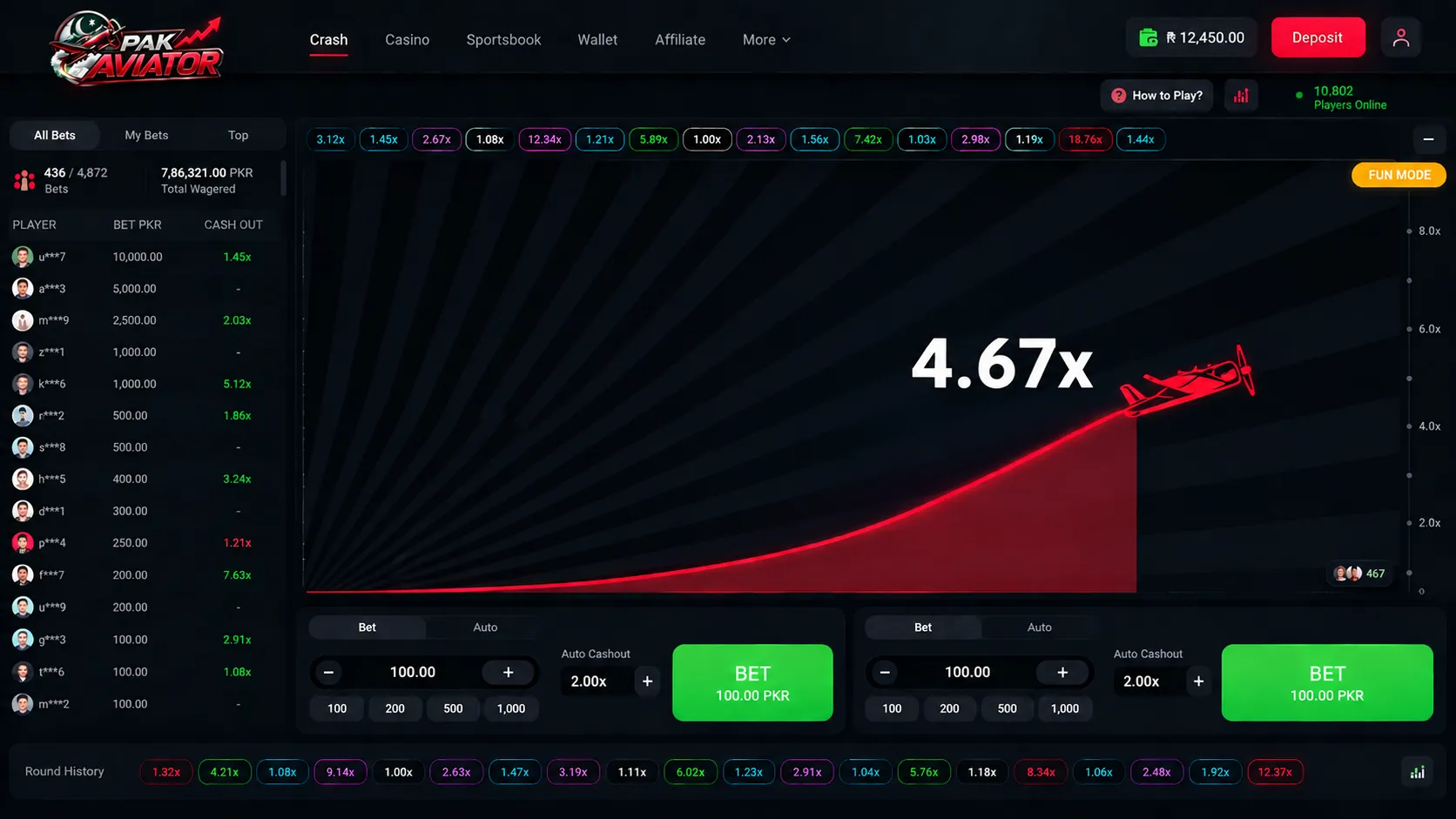
Owning the Game, Not Renting It: Custom Crash Game Development for a Lahore-Based iGaming Operator
READ CASE STUDY
Technologies & Frameworks Powering This Service





Model Context Protocol (MCP) Development | Enterprise AI Agent Infrastructure | Betadrix
ai
Hire Specialized Developers For Your Service Project

Python Developers
Pre-vetted senior Python Developers ready to deploy into your existing architecture in 3-7 days.

Nodejs Developers
Pre-vetted senior Nodejs Developers ready to deploy into your existing architecture in 3-7 days.
React Developers
Pre-vetted senior React Developers ready to deploy into your existing architecture in 3-7 days.
Flutter Developers
Pre-vetted senior Flutter Developers ready to deploy into your existing architecture in 3-7 days.
What Our Clients Say
“Mobile app development and cloud migration were handled smoothly. Strong technical skills, clear communication, and dependable post-launch support stood out throughout the engagement.”

Sarah Mitchell
Director of Operations, HealthFirst Clinics
Have a Project in Mind?
Let's Build It Together.
Connect directly with our senior software architects and technical leads. We evaluate your requirements and deliver an actionable technical proposal within 24 hours.
Strict NDA Protection
Your intellectual property and technical specs remain 100% confidential.
24-Hour Response Guarantee
Guaranteed evaluation and scoping reply from an engineering manager.
Zero Obligation Estimate
Get accurate cost breakdowns and tech stack recommendations free of charge.
Request Free Technical Consultation
Let's build something serious.
Diagnose your system architecture, budget ranges, and roadmap parameters with an expert.
Scoping Diagnostic
Analyze your workflows in 60 seconds. A senior AI architect reviews every parameter personally.
 4.9/5.0 Partner
 4.8/5.0 Leader
 4.9/5.0 Rated
 4.8/5.0 Excellent
Not sure where AI actually moves the needle for you?
Answer a few brief questions. We will deliver a highly concrete scoping plan within 24 hours including:
- Recommendations on automation use-cases and MVP components
- Calculations on expected ROI and engineering timelines
- A structural roadmap to make your legacy stack AI-native